
We have launched the Koraunui School @school Parent App. This is managed through our school student management system that we use for attendance, recording and reporting progress and achievement and other relevant information about tamariki. This is a secure system that is for our school and tamariki.
The App is a part of this system that can be used by the school and parents for communication, reporting absences and information sharing.
You should have received an email with information about how to install the app, set it up and use it. Please contact the office if you didn’t and check we have the correct contact details for you in our system.
https://etap.co.nz/Manual/pdf/caregiverApp/app_instructions_for_downloading.mp4
Caregiver @School App Set Up: Instructions for Caregivers

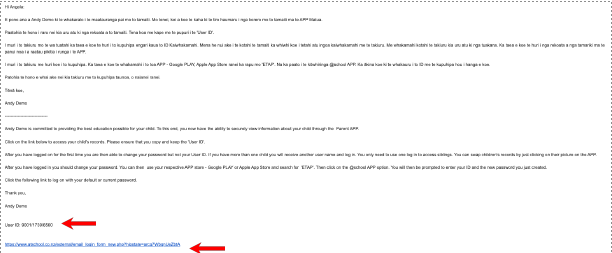

There are 2 ways to set it up:
Use the email we sent you
Read the email Koraunui school has sent you
Scroll down to the bottom of the email
Take note of the User ID number
Click on the blue link
Click “Agree”
You now have the parent app.
To change children click on the child's avatar at the top of the app window.
Or
Direct download of the app

